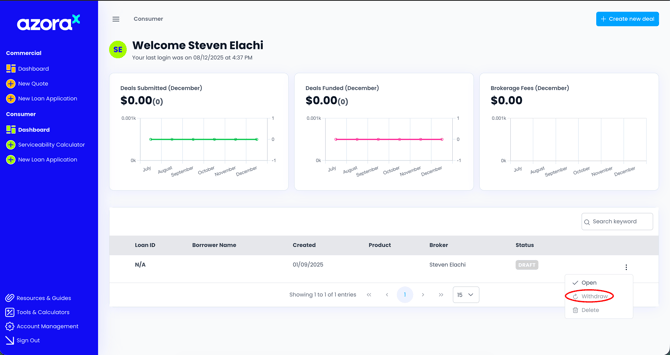
To withdraw an application, follow these steps:
-
Log in to your Azora X
-
Navigate to the Deals section where your submitted applications are displayed
-
Locate the application you wish to withdraw
-
Click on the “Actions” button next to the application
-
Select “Withdraw Application” from the dropdown menu
-
Confirm the withdrawal when prompted
Once the application is successfully withdrawn, it will be marked as “Withdrawn” in your application dashboard. For any assistance please contact brokersupport@azora.com.au