You can only add new brokers to the Azora X Broker Portal if you are an Admin User.
If You Are Not an Admin:
-
Contact your company admin to request admin access.
-
Alternatively, reach out to Support or your Business Development Manager (BDM) to update your account.
Steps to Add a New Broker (Admins Only):
-
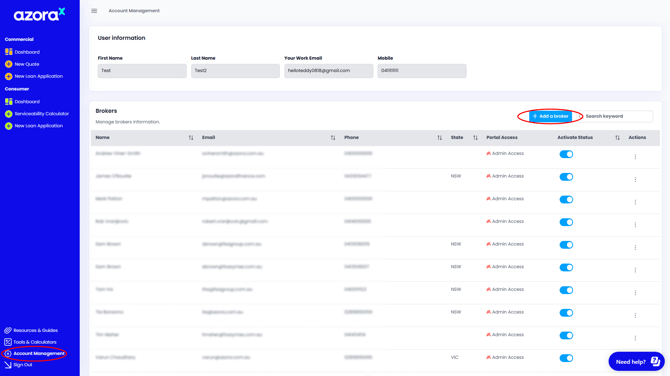
Click on “Account Management” in the portal.
-
If you have admin access, you will see a button labelled “+ Add Broker”. Click on this button.
-
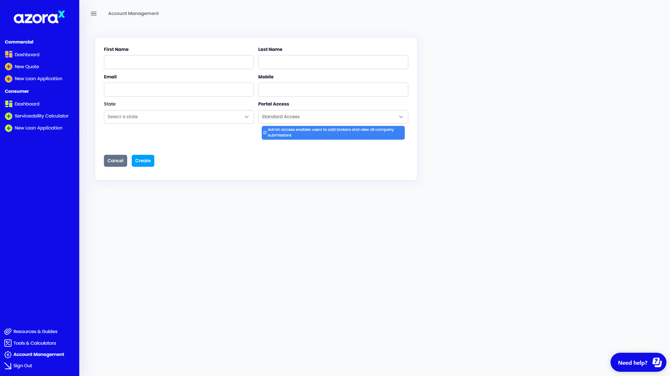
Fill in the Broker’s Details:
-
Enter all required information for the broker you want to add.
-
If the broker should have admin privileges, assign them “Admin Access” under the Portal Access dropdown field.
-
If no admin access is granted, the broker will be added as a standard user by default.
-
-
Save the Details: Complete the process by clicking 'Create' to save the broker's information.